Published Jun 09, 2026
Last Updated Jun 09, 2026
Resolving Indexing Errors: A Technical and Semantic SEO Framework
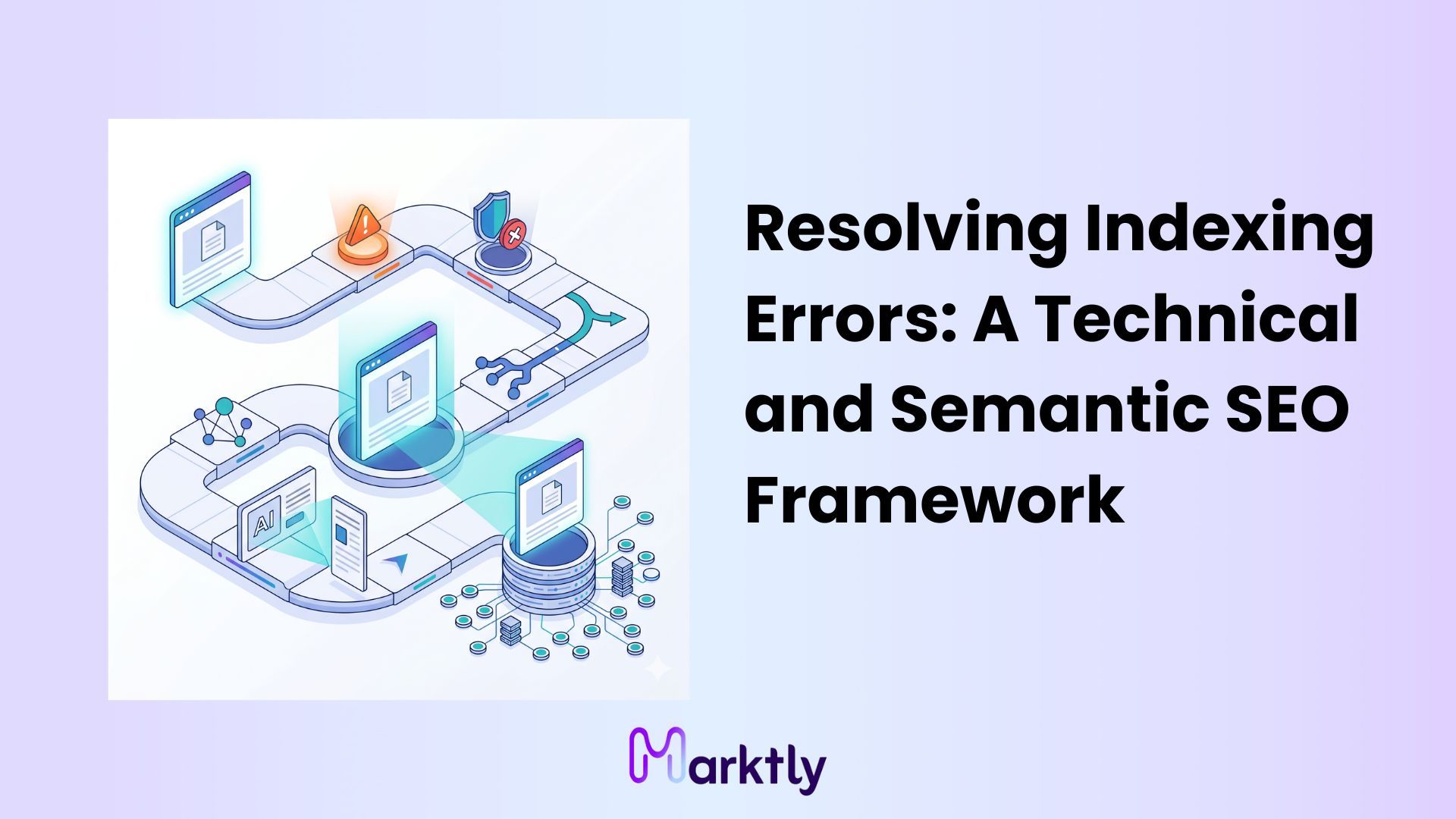
Google's index is not a free-for-all. It's a curated, selective database and Google has been getting more selective, not less, especially since the Helpful Content updates started rolling out. If your page isn't showing up in search, there's a reason. Sometimes it's a server misconfiguration. Sometimes it's duplicate content chaos. And sometimes honestly, this is the frustrating one Google looked at your page, decided it wasn't worth keeping, and moved on.
The Google Search Console Page Indexing report separates these problems into distinct buckets: access blocks, canonical conflicts, and algorithmic quality rejections. These are not the same problem. Using the wrong remediation process can delay resolution because each issue has a different root cause.
So here's what this article covers. We'll walk through how to diagnose and fix each category server errors, noindex traps, canonical confusion, quality rejections, and the validation queue so you can stop guessing and start making Google actually index your pages. This framework comes from working through these exact errors across sites of all sizes, and we'll give you the specific details that most generic guides skip entirely.
Before evaluating content quality, make sure Googlebot is physically permitted to access the server and render the HTML. It sounds obvious. But you'd be surprised how many "content quality" investigations turn out to be a robots.txt rule someone added three years ago and forgot about.
Diagnosing Server and Access Roadblocks
Server-level and directive errors are the first thing to rule out. They're binary; either Googlebot can reach your page or it can't. If it can't, nothing else matters until that's fixed.
5xx and 4xx Server Response Errors
A 5xx server error means Googlebot sent a request and your server couldn't handle it. The most common culprit? Dynamic page generation under crawl load. When Googlebot hits a large site and triggers database queries on every URL, it can overwhelm the server causing 500 or 503 errors specifically during crawl windows. Your site might load fine for users but fail under Googlebot's systematic request pattern. If you're seeing 5xx errors in GSC and your hosting isn't dedicated or scaled, that's your conversation with the dev team: crawl rate limits in GSC, server-side request queuing, or upgrading hosting resources.
404 vs. Soft 404 this distinction matters more than most guides explain. A true 404 returns an HTTP 404 status code, which is clean. Google understands it, marks the URL as dead, and stops crawling it. A soft 404, though, is a page that returns a 200 OK status but has so little meaningful content that Google classifies it as not found anyway. Think WooCommerce out-of-stock pages that render a near-empty template, or paginated archive pages deep in a catalog with only two products. Google wastes crawl budget fetching these, gets nothing useful, and downgrades its assessment of your site's overall quality. For soft 404s, the fix depends on the page: 301 redirect to a live equivalent, or 410 (Gone) for pages that are permanently dead and should be dropped from the index immediately.
Resolving 'Noindex' and Robots.txt Blocks
Here's a paradox that trips people up: the "Indexed, though blocked by robots.txt" status in GSC. How does Google index something it can't crawl? Because robots.txt controls crawling, not indexing. If external sites link to a URL that's blocked by robots.txt, Google can still learn that URL exists and choose to index it just without being able to read the content. This state is usually unintended because the URL can appear in search results while Google cannot access its content. You probably want to either allow crawling (so Google can actually read and index it properly) or add a noindex tag (so it's excluded from the index entirely). Robots.txt alone won't do both jobs.
The bigger hidden trap is the X-Robots-Tag HTTP header. Most noindex troubleshooting guides only talk about the HTML meta robots tag:
<meta name="robots" content="noindex">
But there's a second, less visible way pages get noindexed: via the HTTP response header. This is called the X-Robots-Tag, and it looks like this in the server response:
X-Robots-Tag: noindex
You won't see this in the HTML source. You can't see it just by viewing the page. To check it, open Chrome DevTools → Network tab → reload the page → click the document request → look at the Response Headers section. If you see X-Robots-Tag: noindex there, Google is being told to ignore that page at the server level, and no amount of HTML meta tag editing will fix it. This is common on PDFs, dynamically generated pages, and sites where a caching plugin or CDN is adding headers automatically.
Once server access is confirmed, make sure Google isn't confused by duplicate versions of the same accessible page.
Resolving Canonical and Duplication Conflicts
Canonicalization errors are especially common on eCommerce sites, such as Shopify and WooCommerce stores, and on programmatic SEO websites that generate large numbers of similar URLs. URL parameters, filtered views, pagination, session IDs These create dozens of "same page, different URL" situations. Google has to pick one to index. The question is whether it picks yours.
Duplicate Without User-Selected Canonical
When you have duplicate pages and no canonical tag at all, Google makes the call itself. It'll look at internal link equity, crawl frequency, and historical signals to pick the "primary" version. Often it doesn't pick the version you want. Common examples: /?ref=email parameter variants, HTTP vs HTTPS versions if your redirect isn't clean, or www vs non-www variants if you haven't enforced one domain in GSC.
For these cases, a 301 redirect is usually stronger than just adding a canonical tag. A canonical is a hint. A 301 is a directive. If you have deprecated URL variants that still exist, 301s consolidate their link equity into the primary URL rather than splitting signals across duplicates. Adding a canonical to a URL that still receives crawl traffic keeps both alive in crawl budget terms; the redirect kills the variant and passes its value forward.
Duplicate, Google Chose Different Canonical Than User
This one causes genuine frustration. You added the canonical tag. You pointed it at the right URL. Google ignored it and indexed a different version. Why?
Google may ignore a canonical tag when other signals contradict it. For example, if most internal links point to a URL variant instead of the canonical URL, Google may treat the variant as the primary version. It also overrides canonicals when the target URL is missing from your sitemap or when there's a mismatch between the canonical and the sitemap submission. The fix is to make your signals consistent: update internal links to point to the canonical version, include that URL in your XML sitemap, and ensure no redirect chains exist between the variant and the target canonical.
If the page is accessible and canonicalized but still rejected, the issue moves from technical barriers to algorithmic quality thresholds.
Overcoming Algorithmic Quality Rejections
This is where many SEO resources become less actionable because they provide general recommendations rather than diagnostic criteria. "Write better content" is not a fix. Let's actually talk about what that means in measurable terms.
Diagnosing 'Discovered - Currently Not Indexed'
"Discovered - currently not indexed" doesn't mean Google rejected your page. It means Google found out your page exists but hasn't crawled it yet. That's a crawl budget and scheduling issue, not a quality issue at least not directly.
Google discovered the URL through a sitemap or internal link, added it to the crawl queue, and assigned it a low crawl priority. This is common on large sites where Google allocates a specific crawl budget based on the site's overall authority and server response times. Pages with few or no internal links pointing to them orphan pages often stay in this state for months. Google knows they exist but sees no urgency to fetch them.
Repeatedly resubmitting the URL is ineffective because the underlying crawl-priority signals remain unchanged. The fix is internal linking from already-indexed, high-traffic pages. Specifically:
- Find pages on your site with strong organic traffic and existing Google index presence (use GSC Performance report filtered by impressions/clicks).
- Add contextually relevant internal links from those pages to your stuck URLs.
- Use exact-match or partial-match anchor text that reflects the target page's primary keyword, not generic "click here" text.
- Prioritize internal links placed in the body content, not just the navigation or footer.
When Googlebot crawls your high-authority pages which it does frequently it follows those new internal links and adds the target URLs to a higher-priority crawl queue. This is how you move a URL from "discovered but waiting" to "actively scheduled."
Resolving 'Crawled - Currently Not Indexed'
"Crawled - currently not indexed" is the harder problem. Google did crawl the page. It rendered it, read it, and decided not to keep it. That's an algorithmic quality rejection and it's directly tied to Google's Helpful Content system and its concept of Information Gain.
Here's what Information Gain actually means in practice: Google already has thousands of pages on your topic in its index. When it evaluates a new page, it asks whether that page adds something: a new data point, a distinct angle, expertise that isn't already covered at the same depth. If your page is essentially a recombination of what already ranks, Google doesn't need to store another copy. Low Information Gain = not indexed.
So "write better content" means, specifically:
- Add net-new data: original research, client data, survey results, specific pricing breakdowns, or case study numbers that exist nowhere else.
- Build distinct entity relationships: connect your topic to adjacent concepts, tools, or processes that competitors don't cover. Not as padding as genuine depth.
- Increase specificity at the sentence level: replace "server errors can cause indexing problems" with "5xx errors triggered by dynamic page generation under Googlebot's crawl pattern exhaust server thread pools faster than standard user traffic does."
- Include expert formatting: comparison tables, process flows, decision frameworks formats that signal structured knowledge rather than narrative filler.
After upgrading the page, wait at least 48 hours before requesting a recrawl. Submitting the URL immediately after a minor edit doesn't help the content needs to actually be updated and the cache cleared first.
After upgrading the content's semantic value and resolving technical blocks, the final step is communicating these updates back to Google.
Why Is the 'Validate Fix' Button Failing?
A lot of people hit "Validate Fix" in GSC and then wait two months with no change. Then they hit it again. Then again. Let's clear up what this button actually does because the answer is not what most people think.
Request Indexing Quotas and Validation Timelines
Clicking "Validate Fix" in Google Search Console starts a reporting cycle, not a forced recrawl. It tells GSC to check in approximately two weeks and report back on whether the URLs that had that error are still showing the error. It does not jump your pages to the front of any crawl queue. It does not bypass Google's normal crawl scheduling. The fix still has to propagate through the standard algorithmic process, which runs on Google's timeline, not yours.
This matters because if you click "Validate Fix" before actually resolving the root issue before fixing the noindex tag, before improving the content, before consolidating the canonical you burn a validation cycle and get a "Failed" status two weeks later. Now you've wasted two weeks and have to start over.
The "Request Indexing" button via the URL Inspection Tool has a hard daily cap: roughly 10–12 URLs per day across your Google account. This is not a published official number, but it's a consistent limit that SEOs have documented through testing and developer discussions. Spamming this button doesn't get more pages indexed faster; it just burns your daily quota on URLs Google wasn't going to prioritize anyway, while the actual root issue (quality, canonicalization, access blocks) goes unresolved.
Use "Request Indexing" deliberately:
- Fix the actual problem first.
- Submit only after confirming the fix is live (check the URL Inspection Tool's "Live" test, not the cached version).
- Prioritize high-value URLs revenue pages, key landing pages not every blog post on your site.
Wrapping Up
Here's a fast recap of what we covered:
- Server/access errors (4xx, 5xx, noindex, X-Robots-Tag headers) need to be ruled out first, especially hidden HTTP header blocks that don't show in page source.
- Canonical conflicts mean Google is getting mixed signals from your internal linking, sitemap, and canonical tags. Make them consistent.
- "Discovered - Not Indexed" is a crawl budget issue. Fix it with internal links from already-indexed, high-traffic pages using relevant anchor text.
- "Crawled - Not Indexed" is a quality rejection. Fix it by increasing Information Gain not by rewriting the same content more politely, but by adding genuinely new data, entity depth, and specificity that Google doesn't already have.
- Validation tools have real limits. The "Validate Fix" button starts a reporting cycle, not a crawl. The "Request Indexing" button has a ~10–12 URL daily cap.
The biggest mistake we see? Jumping to content fixes when the problem is a robots.txt rule, or jumping to technical audits when the page just isn't good enough to index. The GSC Page Indexing report tells you which bucket you're in. Trust it, work through the framework in order, and you'll stop fighting Google's crawl queue and start actually showing up in it.
If you want to take this further, run a full crawl of your site with Screaming Frog or Sitebulb and cross-reference the "Crawled - Not Indexed" URLs with your internal link data. Pages with zero internal links pointing at them almost always sit in indexing purgatory. That's usually the fastest win for large sites.
Read More Articles



Ready to create content with Marktly?
Start publishing smarter with AI-powered content workflows and seamless CMS integrations. Everything you need to go live